 |
ACTS
Experiment-independent tracking
|
|
ACTS
Experiment-independent tracking
|
ACTS is developed in C++ and is built using CMake. Building the core library requires a C++20 compatible compiler, Boost, and Eigen. The following commands will clone the repository, configure, and build the core library:
The default C++ standard is C++23. To build in the supported C++20 mode, configure with -DCMAKE_CXX_STANDARD=20 and use dependencies built for C++20.
For a full list of dependencies, including specific versions, see the Prerequisites section below. Build options to activate additional components are described in the Build options section.
The following dependencies are required to build the ACTS core library:
The following dependencies are optional and are needed to build additional components:
There are some additional dependencies that are automatically provided as part of the build system. These are usually not available through the system package manager and can be found in the thirdparty directory.
All external dependencies must be provided prior to building ACTS. Compatible versions of all dependencies are provided e.g. by the LCG releases starting from LCG 102b. For convenience, it is possible to build the required boost and eigen3 dependencies using the ACTS build system; see Build options. Other options are also available and are discussed in the Building ACTS section.
Profiling details the prerequisites for profiling the ACTS project with gperftools.
ACTS uses CMake to configure, build, and install the software. After checking out the repository code into a <source> directory, CMake is called first to configure the build into a separate <build> directory. A typical setup is to create a <source>/build directory within the sources, but this is just a convention; not a requirement. The following command runs the configuration and searches for the dependencies. The <build> directory is automatically created.
The build can be configured via various options that are listed in detail in the Build options section. Options are set on the command line. The previous command could be e.g. modified to
After the configuration succeeded, the software is build. This is also done with cmake via the following command
This automatically calls the configure build tool, e.g. Make or Ninja. To build only a specific target, the target names has to be separated from the CMake options by --, i.e.
The build commands are the same regardless of where you are building the software. Depending on your build environment, there are different ways how to make the dependencies available.
If you have access to a machine running CVMFS, e.g. CERNs lxplus login machines, the dependencies can be easily satisfied via an LCG releases available through CVMFS. Source the cvmfs setup script provided by the machine. It is suggested to select a recent <lcg_release> and <lcg_platform> combination. (Have a look at the CI jobs to get an overview on what we are currently testing):
Current LCG/compiler combinations covered in CI are:
After sourcing the setup script, you can build ACTS as described above.
A set of container images is available through the ACTS container registry. These images are built using the configuration that is used in CI, and they contain all the dependencies required to build ACTS.
Furthermore, we are also testing on, but do not provide the corresponding containers:
To use these locally, you first need to pull the relevant images from the registry. Stable versions are tagged as vX where X is the version number. The latest, potentially unstable, version is tagged as latest. To list all available tags, e.g. for the ubuntu2004 image, you can use the following command:
The following command then downloads a stable tag of the ubuntu2604 image:
This should print the image id as part of the output. You can also find out the image id by running docker images to list all your locally available container images.
Now, you need to start a shell within the container to run the build. Assuming that <source> is the path to your source checkout on your host machine, the following command will make the source directory available as /acts in the container and start an interactive bash shell
where <image> is the image id that was previously mentioned. If you are using the Ubuntu-based image you are already good to go. For the images based on LCG releases, you can now activate the LCG release in the container shell by sourcing a setup script:
Building ACTS follows the instructions above with /acts as the source directory, e.g.
Building and running ACTS on your local machine is not officially supported. However, if you have the necessary prerequisites installed it is possible to use it locally. ACTS developers regularly use different Linux distributions and macOS to build and develop ACTS. It is possible to use Spack to more easily install ACTS' dependencies; see the building with Spack page for more information.
The documentation is built using Doxygen, which extracts the source code documentation and generates the HTML website. The build uses the doxygen-awesome-css theme for styling.
To build the documentation locally, you need:
Configure the build with the ACTS_BUILD_DOCS option enabled:
Then build the documentation:
The generated HTML documentation will be in <build>/docs/html/. Open <build>/docs/html/index.html in a browser to view it.
For a live preview with automatic rebuilds when files change, you can use the serve.py script (requires Python 3.11+ with uv or the typer, rich, and livereload packages):
If your build directory is build, you can omit the --build-dir option. This serves the documentation at http://localhost:8000 and rebuilds when you edit source files or documentation.
Optional zstd compression is controlled by the global string setting ACTS_USE_ZSTD:
For reproducible builds, select -DACTS_USE_ZSTD=ALWAYS or -DACTS_USE_ZSTD=NEVER explicitly. Currently, zstd is used by the JSON plugin when ACTS_BUILD_PLUGIN_JSON is enabled. Uncompressed JSON and CBOR remain available in all modes; reading or writing compressed files requires zstd support.
CMake options can be set by adding -D<OPTION>=<VALUE> to the configuration command. The following command would e.g. enable the unit tests
Multiple options can be given. cmake caches the options so that only changed options must be specified in subsequent calls to configure the project. The following options are available to configure the project and enable optional components.
| Option | Description |
|---|---|
| ACTS_PARAMETER_DEFINITIONS_HEADER | Use a different (track) parameter definitions header type: filepath, default: "" |
| ACTS_SOURCELINK_SBO_SIZE | Customize the SBO size used by SourceLink type: string, default: "" |
| ACTS_FORCE_ASSERTIONS | Force assertions regardless of build type type: bool, default: OFF |
| ACTS_CODEGEN_PREBUILT_DIR | Directory holding pre-generated code; a generated file found there is used verbatim instead of being regenerated. Defaults to prebuilt-codegen/ next to this file when it exists, which is what release source archives ship type: path, default: "" |
| ACTS_CODEGEN_REQUIRE_PREBUILT | Fail the configure step instead of running the code generators when pre- generated code is missing type: bool, default: OFF |
| ACTS_USE_ZSTD | zstd support: AUTO (use if available), ALWAYS (required), NEVER (disabled) type: string, default: AUTO |
| ACTS_USE_SYSTEM_LIBS | Use system libraries by default type: bool, default: OFF |
| ACTS_USE_SYSTEM_ACTSVG | Use the ActSVG system library type: bool, default: ACTS_USE_SYSTEM_LIBS -> OFF |
| ACTS_USE_SYSTEM_COVFIE | Use a system-provided covfie installation type: bool, default: ACTS_USE_SYSTEM_LIBS -> OFF |
| ACTS_SETUP_COVFIE | If we want to set up covfie type: bool, default: OFF |
| ACTS_SETUP_DETRAY | If we want to set up detray type: bool, default: OFF |
| ACTS_USE_SYSTEM_VECMEM | Use a system-provided vecmem installation type: bool, default: ACTS_USE_SYSTEM_LIBS -> OFF |
| ACTS_SETUP_VECMEM | If we want to set up vecmem type: bool, default: OFF |
| ACTS_USE_SYSTEM_TRACCC | Use a system-provided traccc installation type: bool, default: ACTS_USE_SYSTEM_LIBS -> OFF |
| ACTS_USE_SYSTEM_NLOHMANN_JSON | Use nlohmann::json provided by the system instead of the bundled version type: bool, default: ACTS_USE_SYSTEM_LIBS -> OFF |
| ACTS_USE_SYSTEM_PYBIND11 | Use a system installation of pybind11 type: bool, default: ACTS_USE_SYSTEM_LIBS -> OFF |
| ACTS_USE_SYSTEM_MODULEMAPGRAPH | Use a system installation of ModuleMapGraph type: bool, default: ACTS_USE_SYSTEM_LIBS -> OFF |
| ACTS_USE_SYSTEM_EIGEN3 | Use a system-provided eigen3 type: bool, default: ON |
| ACTS_USE_SYSTEM_GBL | Use a system-provided General Broken Lines (GBL) from Mille type: bool, default: OFF |
| ACTS_USE_SYSTEM_MILLE | Use a system-provided Mille type: bool, default: ACTS_USE_SYSTEM_LIBS -> OFF |
| ACTS_USE_SYSTEM_MP2 | Use a system-provided Millepede-2 type: bool, default: ACTS_USE_SYSTEM_LIBS -> OFF |
| ACTS_BUILD_PLUGIN_ACTSVG | Build SVG display plugin type: bool, default: OFF |
| ACTS_BUILD_PLUGIN_ARROW | Build Apache Arrow/Parquet plugin type: bool, default: OFF |
| ACTS_BUILD_PLUGIN_DD4HEP | Build DD4hep plugin type: bool, default: OFF |
| ACTS_BUILD_PLUGIN_EDM4HEP | Build EDM4hep plugin type: bool, default: OFF |
| ACTS_BUILD_PLUGIN_FPEMON | Build FPE monitoring plugin type: bool, default: OFF |
| ACTS_BUILD_PLUGIN_GEOMODEL | Build GeoModel plugin type: bool, default: OFF |
| ACTS_BUILD_PLUGIN_TRACCC | Build Traccc plugin type: bool, default: OFF |
| ACTS_ENABLE_CUDA | Enable CUDA for the gnn/Traccc/CudaMuonSegmentFitting plugins type: bool, default: OFF |
| ACTS_BUILD_PLUGIN_GEANT4 | Build Geant4 plugin type: bool, default: OFF |
| ACTS_BUILD_PLUGIN_GNN | Build the GNN plugin type: bool, default: OFF |
| ACTS_GNN_ENABLE_ONNX | Build the Onnx backend for the gnn plugin type: bool, default: OFF |
| ACTS_GNN_ENABLE_TORCH | Build the torchscript backend for the gnn plugin type: bool, default: ON |
| ACTS_GNN_ENABLE_MODULEMAP | Enable Module-Map-based graph construction type: bool, default: OFF |
| ACTS_GNN_ENABLE_TENSORRT | Enable the native TensorRT inference modules type: bool, default: OFF |
| ACTS_BUILD_PLUGIN_JSON | Build json plugin type: bool, default: OFF |
| ACTS_BUILD_PLUGIN_GBL | Build General Broken Lines (GBL) plugin from Mille type: bool, default: OFF |
| ACTS_BUILD_PLUGIN_MILLE | Build Mille plugin type: bool, default: OFF |
| ACTS_BUILD_PLUGIN_ONNX | Build ONNX plugin type: bool, default: OFF |
| ACTS_BUILD_PLUGIN_ROOT | Build ROOT plugin type: bool, default: OFF |
| ACTS_SETUP_ANNOY | Explicitly set up Annoy for the project type: bool, default: OFF |
| ACTS_BUILD_PYTHON_WHEEL | Settings to build for python deployment with scikit-build-core type: bool, default: OFF |
| ACTS_BUILD_PYTHON_BINDINGS | Build python bindings for all enabled components type: bool, default: OFF |
| ACTS_GENERATE_PYTHON_STUBS | Generate Python stub files (.pyi) using pybind11-stubgen via uv type: bool, default: OFF |
| ACTS_BUILD_FATRAS | Build FAst TRAcking Simulation package type: bool, default: OFF |
| ACTS_BUILD_FATRAS_GEANT4 | Build Geant4 Fatras package type: bool, default: OFF |
| ACTS_BUILD_ALIGNMENT | Build Alignment package type: bool, default: OFF |
| ACTS_BUILD_TRACCC | Build traccc GPU tracking package type: bool, default: OFF |
| ACTS_BUILD_EXAMPLES | Build basic examples components type: bool, default: OFF |
| ACTS_BUILD_EXAMPLES_DD4HEP | Build DD4hep-based code in the examples type: bool, default: OFF |
| ACTS_BUILD_EXAMPLES_EDM4HEP | Build EDM4hep-based code in the examples type: bool, default: OFF |
| ACTS_BUILD_EXAMPLES_FASTJET | Build FastJet plugin type: bool, default: OFF |
| ACTS_BUILD_EXAMPLES_GEANT4 | Build Geant4-based code in the examples type: bool, default: OFF |
| ACTS_BUILD_EXAMPLES_GNN | Build the GNN example code type: bool, default: OFF |
| ACTS_BUILD_EXAMPLES_HASHING | Build Hashing-based code in the examples type: bool, default: OFF |
| ACTS_BUILD_EXAMPLES_PARQUET | Build Arrow/Parquet-based code in the examples type: bool, default: OFF |
| ACTS_BUILD_EXAMPLES_PODIO | Build Podio-based code in the examples type: bool, default: OFF |
| ACTS_BUILD_EXAMPLES_PYTHIA8 | Build Pythia8-based code in the examples type: bool, default: OFF |
| ACTS_BUILD_EXAMPLES_ROOT | Build modules based on ROOT I/O type: bool, default: OFF |
| ACTS_BUILD_EXAMPLES_CUDA_MUON_SEGMENT_FITTING | Build CUDA muon segment fitting example type: bool, default: OFF |
| ACTS_BUILD_ANALYSIS_APPS | Build Analysis applications in the examples type: bool, default: OFF |
| ACTS_BUILD_BENCHMARKS | Build benchmarks type: bool, default: OFF |
| ACTS_BUILD_INTEGRATIONTESTS | Build integration tests type: bool, default: OFF |
| ACTS_BUILD_UNITTESTS | Build unit tests type: bool, default: OFF |
| ACTS_BUILD_CORE_UNITTESTS | Build Core unit tests type: bool, default: ON |
| ACTS_BUILD_EXAMPLES_UNITTESTS | Build Examples unit tests type: bool, default: ACTS_BUILD_UNITTESTS AND ACTS_BUILD_EXAMPLES |
| ACTS_RUN_CLANG_TIDY | Run clang-tidy static analysis type: bool, default: OFF |
| ACTS_BUILD_DOCS | Build documentation type: bool, default: OFF |
| ACTS_SETUP_BOOST | Explicitly set up Boost for the project type: bool, default: ON |
| ACTS_SETUP_EIGEN3 | Explicitly set up Eigen3 for the project type: bool, default: ON |
| ACTS_BUILD_ODD | Build the OpenDataDetector type: bool, default: OFF |
| ACTS_ENABLE_CPU_PROFILING | Enable CPU profiling using gperftools type: bool, default: OFF |
| ACTS_ENABLE_MEMORY_PROFILING | Enable memory profiling using gperftools type: bool, default: OFF |
| ACTS_GPERF_INSTALL_DIR | Hint to help find gperf if profiling is enabled type: string, default: "" |
| ACTS_ENABLE_LOG_FAILURE_THRESHOLD | Enable failing on log messages with level above certain threshold type: bool, default: OFF |
| ACTS_COMPILE_HEADERS | Generate targets to compile header files type: bool, default: ON |
All ACTS-specific options are disabled or empty by default and must be specifically requested.
ACTS comes with a couple of CMakePresets which allow to collect and origanize common configuration workflows. On the surface the current list of presets contains:
In addition to the ACTS-specific options, many generic options are available that modify various aspects of the build. The following options are some of the most common ones. For more details, have a look at the annotated list of useful CMake variables or at the CMake documentation.
| Option | Description |
|---|---|
| CMAKE_BUILD_TYPE | Build type, e.g. Debug or Release; affects compiler flags (if not specified RelWithDebInfo will be used as a default) |
| CMAKE_CXX_COMPILER | Which C++ compiler to use, e.g. g++ or clang++ |
| CMAKE_INSTALL_PREFIX | Where to install ACTS to |
| CMAKE_PREFIX_PATH | Search path for external packages |
The build is also affected by some environment variables. They can be set by prepending them to the configuration call:
The following environment variables might be useful.
| Environment variable | Description |
|---|---|
| DD4hep_DIR | Search path for the DD4hep installation |
| HepMC3_DIR | Search path for the HepMC3 installation |
| Pythia8_DIR | Search path for the Pythia8 installation |
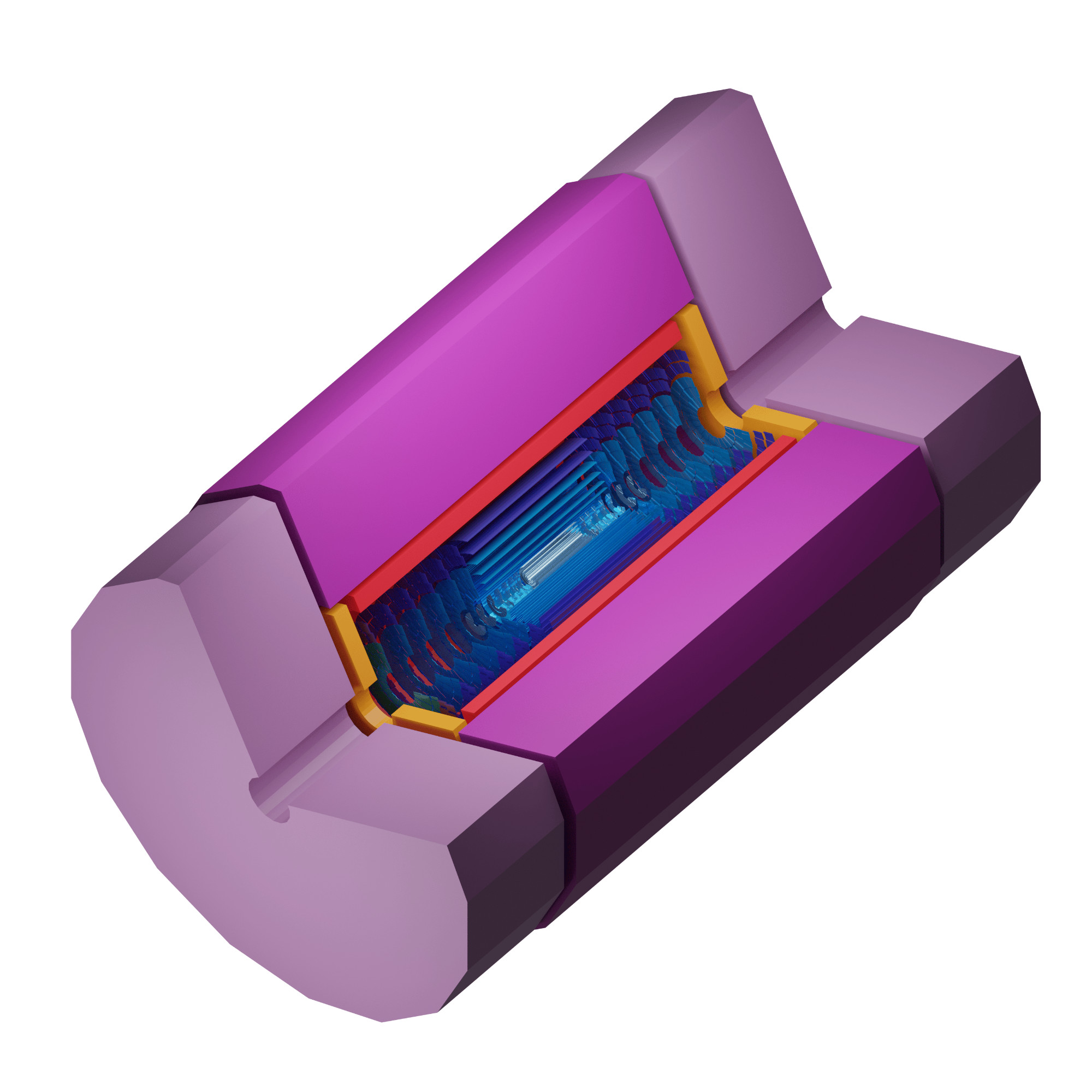
ACTS comes packaged with a detector modeled using DD4hep that can be used to test your algorithms. It comes equipped with a magnetic field file as well as an already built material map. When configuring with ACTS_BUILD_ODD=ON, the detector is fetched automatically via CMake's ExternalProject_Add. This step requires network access during the first build to clone the upstream repository.
To use it, build ACTS with the ACTS_BUILD_ODD option and then point either LD_LIBRARY_PATH on Linux or DYLD_LIBRARY_PATH and DD4HEP_LIBRARY_PATH on macOS to the install path of the ODD factory (for example: $ODD_BUILD_DIR/factory). The setup scripts generated by the build do this automatically when present.
You can now use the ODD in the python binding by using:
Parts of ACTS (and of the bundled detray) are C++ headers generated at build time with sympy. The generated files are deliberately not committed, so a normal build downloads uv, a Python interpreter and the generator dependencies. This happens even when every C++ dependency is already provided, which makes builds depend on network access.
Everything that gets generated is listed in codegen/manifest.json, keyed by where the generated file belongs. That file is the single source of truth: cmake/ActsCodegen.cmake drives the build from it, and CI/pregenerate_codegen.py produces the same files from it ahead of time, so the two cannot disagree about what exists or where it goes. Adding a generator means adding it to the manifest; acts_code_generation refuses a key that is not listed there.
Pre-generating the code needs uv and nothing else — no CMake, no compiler, and none of the C++ dependencies a real ACTS configure requires:
CI/make_source_archive.sh then packs the tracked content of a revision together with that directory, using nothing but git, tar and gzip:
A build configured from the unpacked archive finds prebuilt-codegen/ next to the top-level CMakeLists.txt on its own and copies the headers into place instead of regenerating them, so it needs neither uv, nor Python, nor network access for the code generation step.
Because the manifest lists every unit, the archive covers all of them regardless of which options the machine producing it had enabled. The content comes from a revision via git archive rather than from the working directory, which keeps build directories and other untracked files out and honours export-ignore attributes.
CI/codegen_prebuilt_check is a small CMake project that verifies a pre-generated directory is complete and actually gets picked up. It declares no languages and builds no code, so it runs anywhere CMake does:
Two build options steer this on the consuming side. ACTS_CODEGEN_PREBUILT_DIR points at a directory of pre-generated code explicitly, and ACTS_CODEGEN_REQUIRE_PREBUILT decides what happens when a generated file is not covered by it.
Generated files that have no counterpart in the pre-generated directory are generated as usual, and CMake warns about each one. Since that warning is easy to miss in a long configure log, a build that must not reach the network should set ACTS_CODEGEN_REQUIRE_PREBUILT=ON, which turns every such fallback — and the case of no pre-generated code at all — into a hard error. This is the recommended setting for packaging recipes: it fails loudly when the wrong archive was used, rather than silently taking the slow path.
When using ACTS in your own CMake-based project, you need to include the following lines in your CMakeLists.txt file:
where compX are the required components from the ACTS project. See the cmake output for more information about which components are available.
 1.15.0